Connect
Data at your fingertips, without the data engineering

Connect your platforms
Connect your platforms to your SEINō Workspace. If needed, our technical team helps configure your integrations, without turning onboarding into a lengthy IT project.
Explore integrations ChatGPTAI client
  ClaudeAI client
  Google Analytics Enabled
  Deployteq Enabled
  Braze Email platform
  Copernica Email platform
  Customer.io Email platform
  HubSpot Email platform
  Iterable Email platform
  Klaviyo Email platform
  MailCampaigns Email platform
  Mailkit Email platform
  Spotler Mail+ Email platform
  Maileon Email platform
  Marigold Engage Email platform
  Omnivery Email platform
  Salesforce Email platform
  SendGrid Email platform
  SMTPeter Email platform Spotler MailPro Email platform
  Google BigQuery Data export
  Magento E-commerce
 We help connect your platforms, process the data and keep your integrations running.
Your data, ready to explore
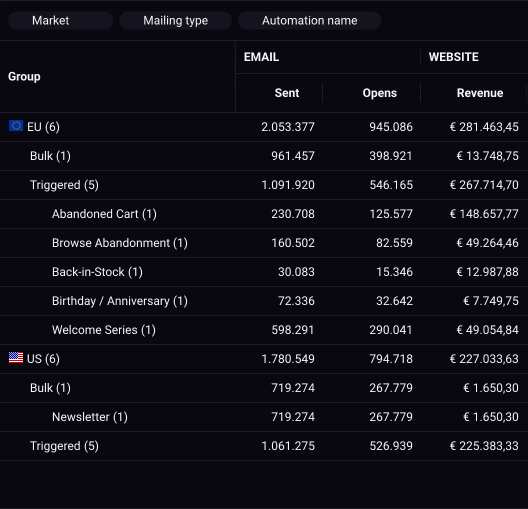
SEINō collects and processes data from your connected platforms and makes it available in Datasets. Work with your campaign, engagement and conversion data in Data explorer and Dashboards.
Learn about datasets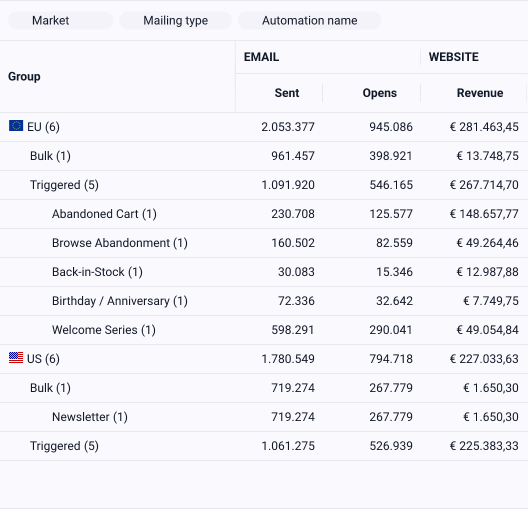
More control over your data
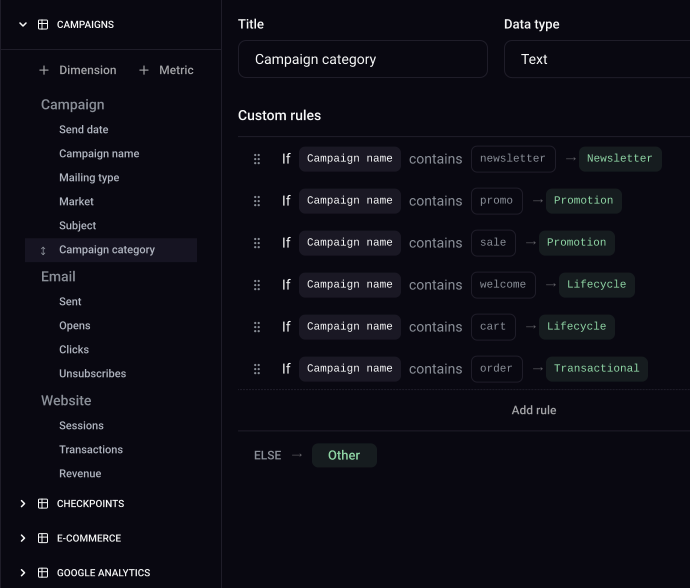
Transform, enrich or correct your data directly in SEINō. Rename historical campaigns, add custom dimensions and metrics, or use rules to automatically populate fields. Shape your data around the way your team works.
Learn about custom data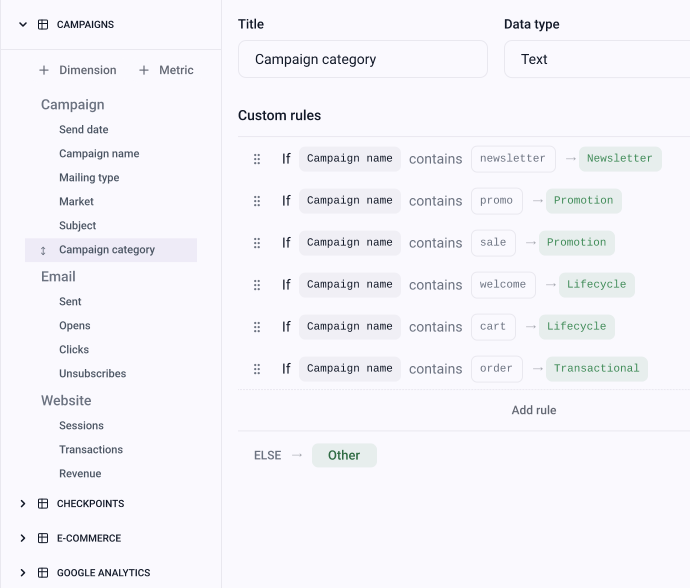
We keep everything running
Our team monitors and maintains your integrations after setup. When a platform changes or data looks unexpected, we help investigate and resolve the issue. No need to build or maintain your own data infrastructure.
Learn about our approach
Some of our campaigns show no revenue. Can you check?
We looked into it: the links in those campaigns have no UTM tags, so their website revenue can't be matched to them. Add UTM tags to the links and their revenue will show up.
- Data at your fingertips, without the data engineering You are here
- See what happened and explore what changed. Understand
- Stay on top of your CRM performance Monitor
Questions about connecting data
Have another question? Get in touch
Can I connect data sources myself?
Yes. A Workspace administrator connects supported integrations, and each one has its own setup guide in the docs. A few steps go through our support team on request, such as adding Google Analytics 4 key events as metrics.
What is included in your onboarding?
One email platform and one web analytics integration, key events from your web analytics, a historical data import of up to 24 months where the source has that history, integration testing and data validation, and one online training for up to 10 people.
What data is shared by default?
It depends on the integration. Typically campaign and message metadata, engagement events such as sends, opens and clicks, membership of segments defined in your own systems, and conversion and revenue context. Customer identifiers are hashed, and SEINō is designed to avoid storing directly identifying personal data where the analysis doesn't need it.
Which integrations are supported?
Standard integrations include Bloomreach, Copernica, Customer.io, Deployteq, Google Analytics 4, Klaviyo, Spotler Mail+ and BigQuery. Claude and ChatGPT connect through the SEINō MCP server, in beta. Each has a page describing what it brings into your Workspace.
Explore integrationsWhere is the data hosted?
In the EU, on Google Cloud and Hetzner EU servers. Customer data is not stored outside the EU.
Security overviewIs my data processed outside of the EU?
Campaign and analytics data is processed in the EU. AI Insights is opt-in and runs on Google Gemini, processed in the EU. The exception is error monitoring, which may handle limited account metadata outside the EEA, under Standard Contractual Clauses.
See our subprocessorsWhat if you don’t integrate with the platform I use?
Our specialists plan and configure a custom integration with you.
Custom integrations